
Iottly API Integration
The Iottly platform exposes two complementary integration channels for developers:
- HTTP API — query project data, inspect devices, send commands and retrieve message history programmatically.
- Webhooks — subscribe your backend to the real-time message stream coming from connected devices.
Authentication
All API calls are authenticated with a bearer token sent in the Authentication header:
curl -H "Authentication: bearer <YOUR_API_KEY>" \
  https://api.cloud.iottly.com/v1.0/project/<PROJECT_ID>/inspect
Unauthenticated calls return a 401 HTTP status code.
IMPORTANT: API tokens give access to your data. Never share them or commit them to source control.
Obtaining an API key
From your project’s dashboard, click the OPEN button in the top-right corner to toggle the project settings panel, then navigate to Manage API keys.
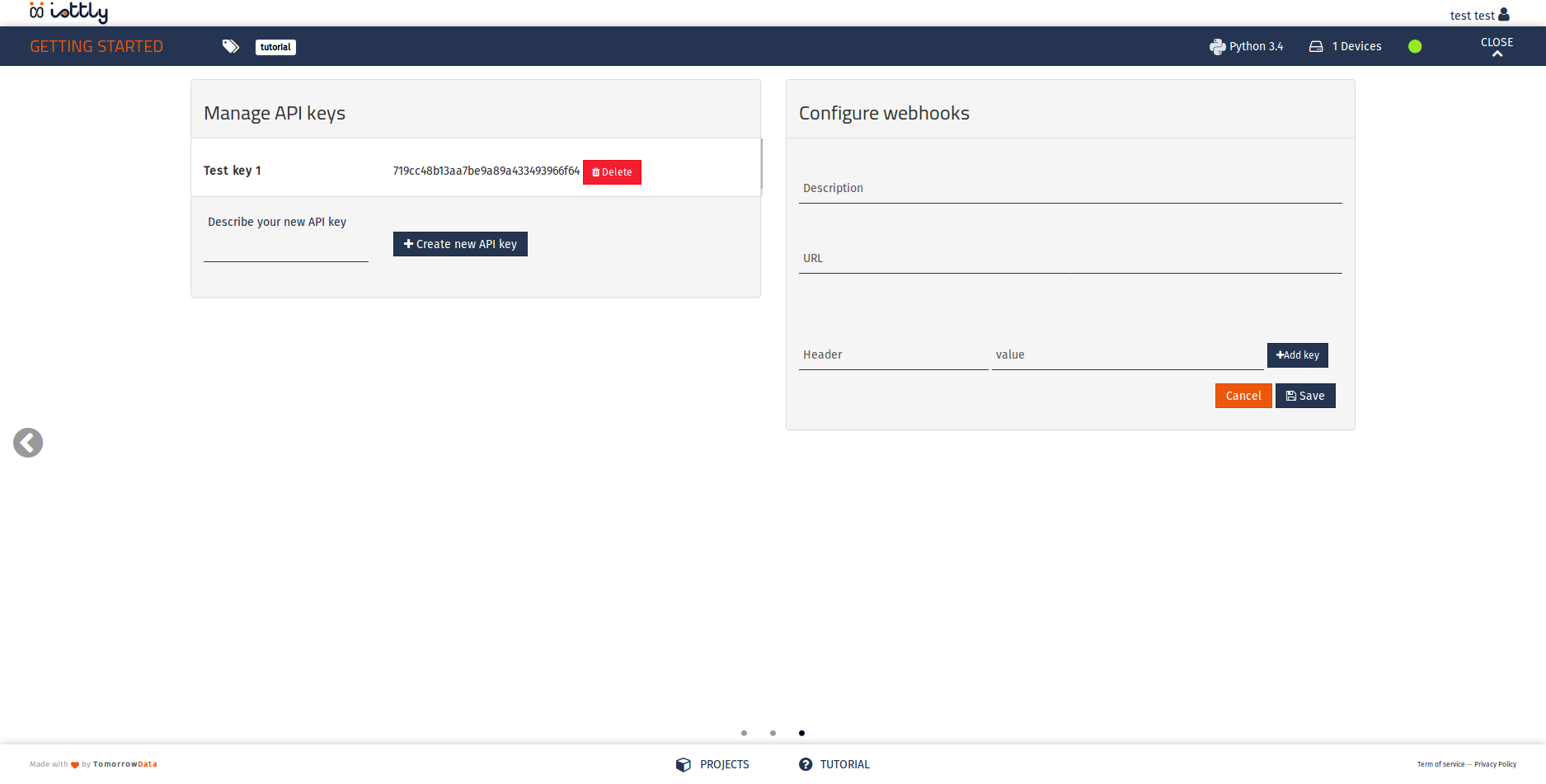
In this panel you can review existing keys, create new ones, and delete keys you no longer use.
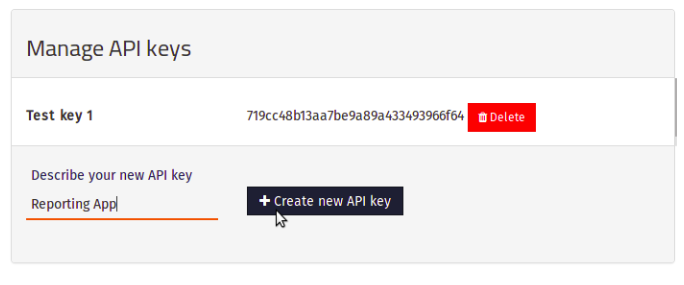
To add a key, enter a meaningful description (e.g. “Analytics dashboard”, “Reporting service”, “John Smith”) and click Create new API key.
Tip: Descriptive names make it easier to audit and revoke keys later.
Verify connectivity
Once you have a key, test the connection with the ping endpoint:
curl -H "Authentication: bearer <YOUR_API_KEY>" \
  https://api.cloud.iottly.com/v1.0/project/ping
Expected response:
{"status": "pong"}
Next steps
| Section | What you’ll find |
|---|---|
| HTTP API | Full endpoint reference: project info, device props, send commands, message history |
| Webhooks | Push notifications from connected devices to your backend service |
For additional help contact iottly-support@tomorrowdata.io.
Configuration file
[agent]
# Unique device token (set by `iottly-agent provision`)
token = eyJhbGciOiJSUzI1NiJ9...

# Log level: debug | info | warn | error (default: info)
log_level = info

# Path to the local log file (default: /var/log/iottly/agent.log)
log_file = /var/log/iottly/agent.log

[connection]
# Iottly platform endpoint (do not change unless self-hosting)
endpoint = wss://agent.cloud.iottly.com/ws

# Reconnect interval in seconds (default: 5)
reconnect_interval = 5

# Maximum reconnect interval after exponential back-off (default: 120)
reconnect_max = 120

# Heartbeat interval in seconds (default: 30)
heartbeat_interval = 30

[telemetry]
# Enable the built-in telemetry publisher (default: true)
enabled = true

# Buffer size for telemetry frames before they are flushed (default: 100)
buffer_size = 100

# Flush interval in milliseconds (default: 1000)
flush_interval_ms = 1000

[security]
# Path to the CA bundle used to verify the platform TLS certificate
# Leave empty to use the system store
ca_bundle =

# Minimum TLS version: tls1.2 | tls1.3 (default: tls1.2)
min_tls_version = tls1.2
Environment variable overrides
Every configuration key can be overridden at runtime using the pattern IOTTLY_<SECTION>_<KEY> (upper-case, underscores):
| Variable | Equivalent key |
|---|---|
IOTTLY_AGENT_LOG_LEVEL | [agent] log_level |
IOTTLY_CONNECTION_ENDPOINT | [connection] endpoint |
IOTTLY_TELEMETRY_FLUSH_INTERVAL_MS | [telemetry] flush_interval_ms |
Example:
IOTTLY_AGENT_LOG_LEVEL=debug \
IOTTLY_TELEMETRY_FLUSH_INTERVAL_MS=500 \
  /opt/iottly/bin/iottly-agent start
Proxy support
If the device is behind an HTTP proxy, set the standard proxy environment variables before starting the agent:
export HTTPS_PROXY=http://proxy.internal:3128
export NO_PROXY=169.254.0.0/16,10.0.0.0/8
systemctl start iottly-agent
Applying configuration changes
The agent watches its configuration file for changes. Most keys take effect after a graceful reload:
# Reload without dropping the active connection
systemctl reload iottly-agent

# Full restart (briefly drops the connection)
systemctl restart iottly-agent
Note: Changes to
tokenorendpointalways require a full restart.