
Webhooks
The Iottly platform can push a notification to an external service each time a connected device generates a message. This allows your backend to react in real time — no polling required.
Manage webhooks
From your project’s dashboard, click the OPEN button in the top-right corner to toggle the project settings panel, then navigate to Configure webhooks.
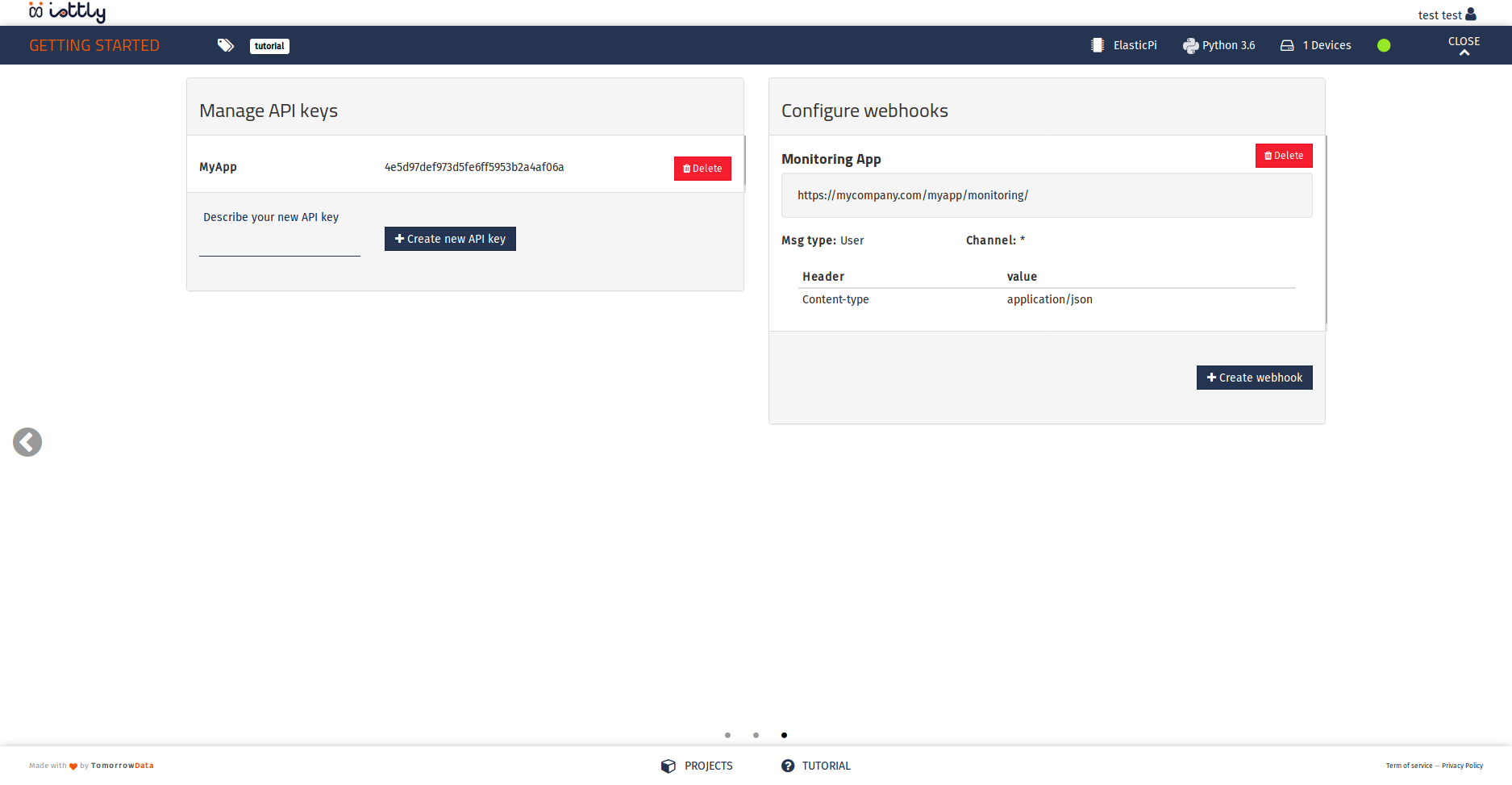
In this panel you can:
- view the active webhooks for your project
- set up a new webhook
- delete webhooks you no longer need
Note: You can configure up to 5 webhooks per project.
Set up a webhook
Click Add webhook to open the creation form.
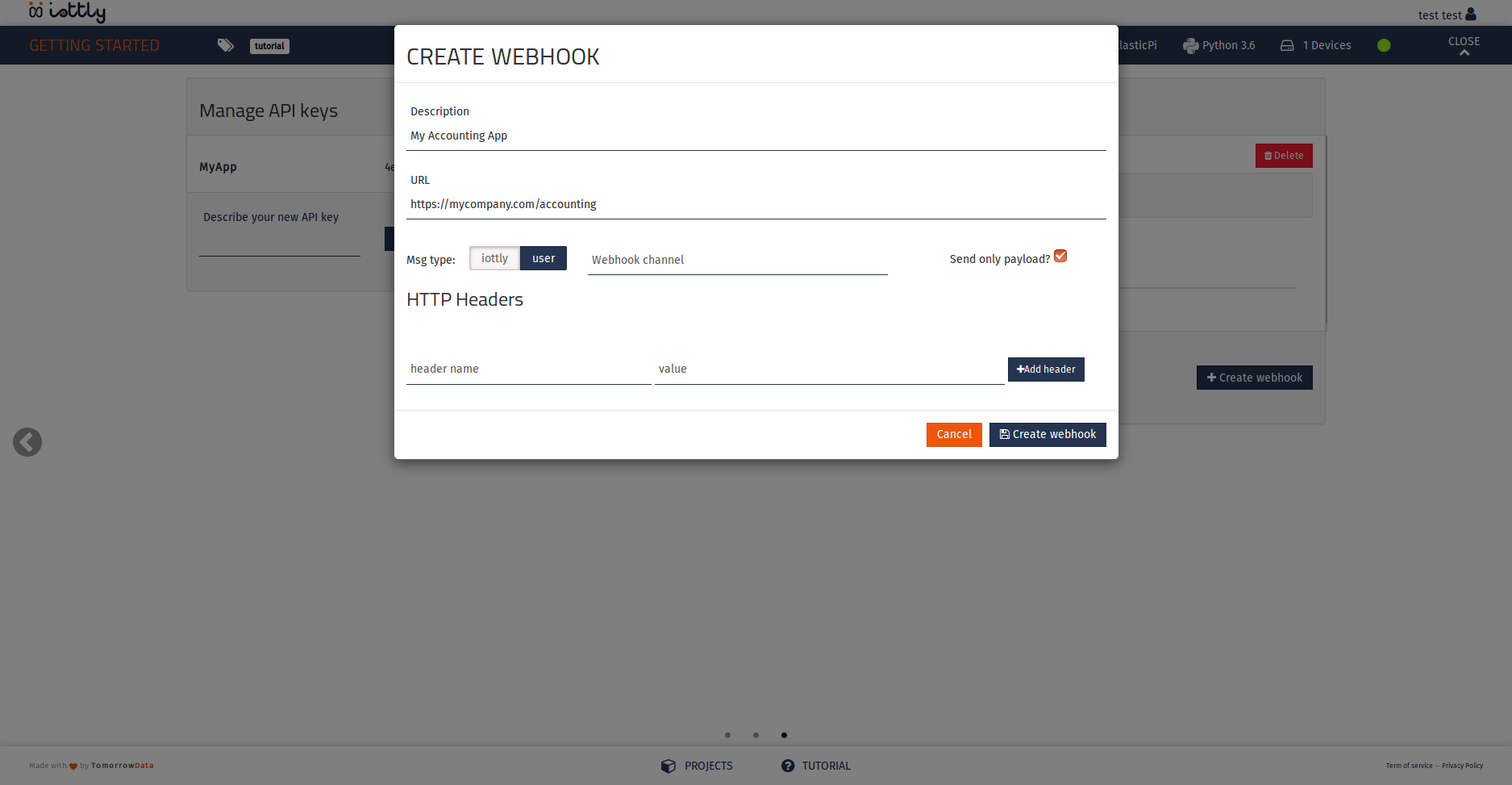
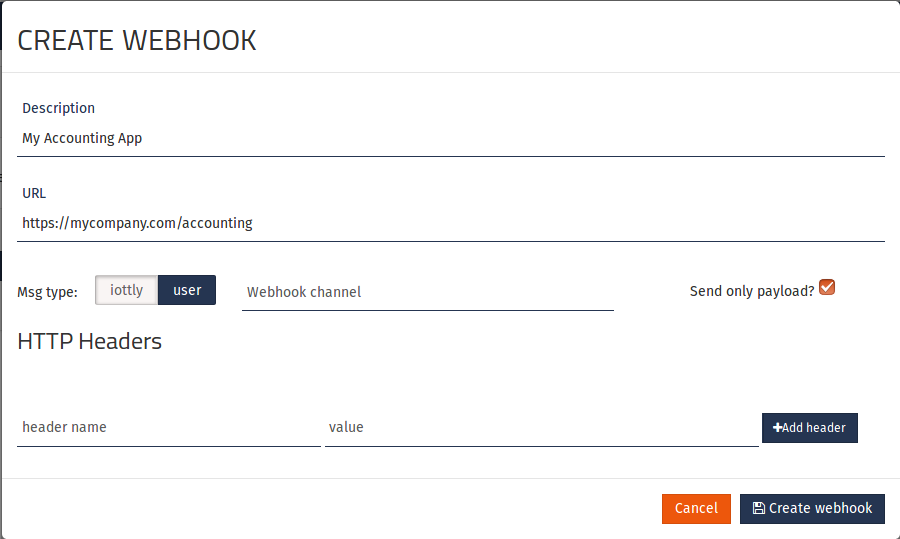
Fill in the following fields:
| Field | Description |
|---|---|
| Description | A human-friendly name for this webhook |
| URL | The HTTPS endpoint of your service that will receive notifications |
| Type | iottly for messages from the Iottly agent, user for messages from Management Scripts |
| Channel | Optional string to filter messages by the channel field |
| Payload only | When enabled, delivers only the message payload instead of the full envelope |
| HTTP headers | Up to 5 custom headers sent with every request (e.g. for authentication) |
Click Create webhook when done.
How webhooks work
When a device attached to your project sends a message, Iottly immediately delivers an HTTP POST request to your webhook URL:
- Headers: the custom headers you configured
- Body (JSON):
{
  "msg": {
    // the message received from the device
  }
}
Example application
For a working reference implementation written in Python, check out the official example repository:
tomorrowdata/iottly-webhook-example ↗
Relationship to the Command API
Webhooks are one-directional — device → your backend. To send commands in the opposite direction (your backend → device) use the Command API.
WebSocket API
The WebSocket API is the right choice when you need low-latency, streaming interactions: continuous telemetry ingestion, live log tailing, or interactive remote shells.
Connecting
wss://api.cloud.iottly.com/v1/stream
Authenticate by passing your API key as a query parameter on the initial handshake:
const ws = new WebSocket(
  'wss://api.cloud.iottly.com/v1/stream?api_key=ik_live_xxx'
);
Security note: The query parameter approach is acceptable only for server-side clients where TLS protects the URL. For browser clients, first exchange the API key for a short-lived session token via the REST API and pass that instead.
Message format
All messages are JSON objects with a type field that determines the shape of the payload:
interface Message {
  type: string;
  payload: Record<string, unknown>;
  request_id?: string; // echo'd back in responses, useful for correlating async replies
}
Subscribing to telemetry
Subscribe to a device stream
{
  "type": "subscribe",
  "request_id": "sub-1",
  "payload": {
    "device_id": "dev_01j3k...",
    "streams": ["cpu", "memory", "temperature"]
  }
}
The server acknowledges:
{
  "type": "subscribed",
  "request_id": "sub-1",
  "payload": { "subscription_id": "sub_..." }
}
Incoming telemetry frames
After subscribing, the server pushes frames as they arrive from the device:
{
  "type": "telemetry",
  "payload": {
    "subscription_id": "sub_...",
    "device_id": "dev_01j3k...",
    "stream": "cpu",
    "ts": "2026-05-06T14:22:46.123Z",
    "value": 18.4
  }
}
Unsubscribe
{
  "type": "unsubscribe",
  "payload": { "subscription_id": "sub_..." }
}
Sending real-time commands
You can send commands through the same WebSocket connection and receive results as they stream back:
{
  "type": "command",
  "request_id": "cmd-1",
  "payload": {
    "device_id": "dev_01j3k...",
    "command": "tail -n 50 /var/log/app.log",
    "stream_output": true
  }
}
The server streams stdout and stderr chunks as they arrive:
{ "type": "command_output", "request_id": "cmd-1",
  "payload": { "chunk": "2026-05-06 14:22:44 INFO  Starting worker\n", "fd": "stdout" } }

{ "type": "command_output", "request_id": "cmd-1",
  "payload": { "chunk": "2026-05-06 14:22:45 INFO  Worker ready\n", "fd": "stdout" } }

{ "type": "command_done", "request_id": "cmd-1",
  "payload": { "exit_code": 0 } }
Heartbeat
The server sends a ping every 30 seconds. If no pong is received within 10 seconds, the connection is closed. Most WebSocket client libraries handle this automatically; if yours does not, respond to ping frames with pong frames.
Reconnection
The server will close the connection with code 1001 when it needs to restart. Implement exponential back-off reconnection:
function connect() {
  const ws = new WebSocket('wss://api.cloud.iottly.com/v1/stream?api_key=...');
  let delay = 1000;
  ws.onclose = () => {
    setTimeout(() => { connect(); delay = Math.min(delay * 2, 30000); }, delay);
  };
  ws.onopen = () => { delay = 1000; /* reset */ };
}